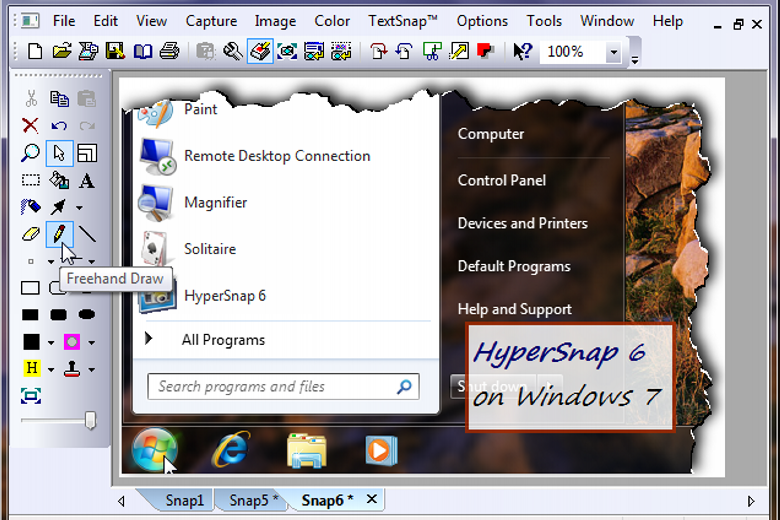
HyperSnap is an extremely versatile screen capture tool that includes an array of essential features.
The program provides a lengthy list of capture types, for instance: full screen, active window, region, the virtual desktop (even extending over multiple monitors), freehand shapes, scrolling windows (a web site that’s too large for the screen, say), and more.
An extensive range of editing features then lets you tweak any grab to suit your needs. So you can crop, resize or rotate images, tweak colours, apply special effects, add stamps, captions, shapes and lines, or choose from a selection of paint tools.
If you don’t need to edit your grabs, then there are many ways to speed up the capture process. HyperSnap can be configured to automatically save each capture to a file, for instance; upload it to an FTP server; print it out; copy it to the clipboard; even paste the capture into the application of your choice.
And just in case that’s not enough, HyperSnap can now grab text, too. Just select a region on the screen, the program will grab editable text for you, then paste it wherever you like. It can even capture tab-delimited data for quick and easy pasting into Microsoft Excel.
Verdict:
An impressive, versatile and easy-to-use screen capture tool
(2)
System & Desktop Tools
Specifications
Requirements
Changelog
What’s new in v10.3.1 (see full changelog for more info)?
– Added video recording of any screen area for demos, training, bug reports, and support walkthroughs.
– OCR results are opening now directly in HyperSnap 10 as editable text, instead of opening Notepad.