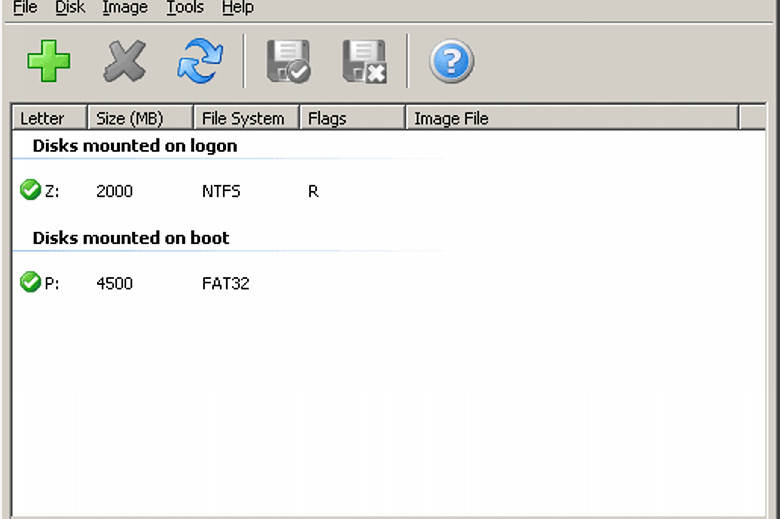
SoftPerfect RAM Disk is a straightforward tool that allows you to create virtual drives based entirely on your PCs memory.
These drives then look just like any other; they’ll appear in Explorer, you can drag and drop files there, or use them to store temporary files created by Windows or your applications. But because RAM performs so much better than conventional hard drives, your RAM disk could be hundreds of times faster in some situations.
So why bother? You could use a RAM disk to hold an application’s temporary files, for instance. If it makes heavy use of these then this could greatly improve its performance.
And the program could also be useful for privacy reasons. Reconfigure your browser to store its session data on the RAM disk, say, and it’ll run faster, but when you reboot your PC then your browsing history will disappear. (Although if that’s a problem for you, don’t worry, you’re able to create persistent RAM disks which case their contents to your hard drive when your PC shuts down.)
Beware, though, there’s a potential problem. The RAM Disk uses your system memory, and if you don’t have enough (and most people don’t) then taking away more RAM to create a virtual disk will slow you down.
Verdict:
SoftPerfect RAM Disk may help to improve your PC’s performance in some situations. (Though it might also slow you down, so be careful.)
(1)
System & Desktop Tools
Specifications
Requirements
Changelog
Version 26.6 (changelog):
Added: Selectable tray icon style with three options: colour, white, and black.
Improved: Refreshed UI with auto-fitting columns and improved status bar speed display.
Improved: Internal architecture restructured towards cross-platform driver support.
Improved: Numerous driver hardening and robustness improvements.
Changed: Configuration import and export now uses JSON instead of XML.
Changed: Volume types simplified by merging logon and boot into a single unified type.
Changed: Licensing and user access control moved to the kernel driver for improved security.
Removed: Drive letters namespace option as drive letters are now always system-managed.
Removed: Auto-run applications feature as OS startup mechanisms should be used instead.
Deal of the Day
-75%
Avast Ultimate 2026 [10-Device, 1-YR]
Offer Ends In: